
Log your Commander games after you play
Some pods just play. The Playgroup tracker's Log past game mode records a finished paper game in about a minute: who played, which decks, who won. Your win rates, ELO leaderboard and deck stats build just like live-tracked games.
How do you track Commander games without an app at the table?
Play your game however you like: pen and paper, dice, or nothing at all. Afterwards, open the Playgroup tracker, switch to Log past game, and record who played, which decks, and who won. That is enough for Playgroup to build win rates, an ELO leaderboard and per-deck stats for your whole pod, the same stats live-tracked games get.
Four steps, about a minute
Or none at all: pickup games work too.
Playgroup members, or guests by name. Pick a deck or just the commander.
Winner or winners, the win condition, and whether someone went infinite.
Date, game length, turn count and fun ratings are all optional.
The stats still count
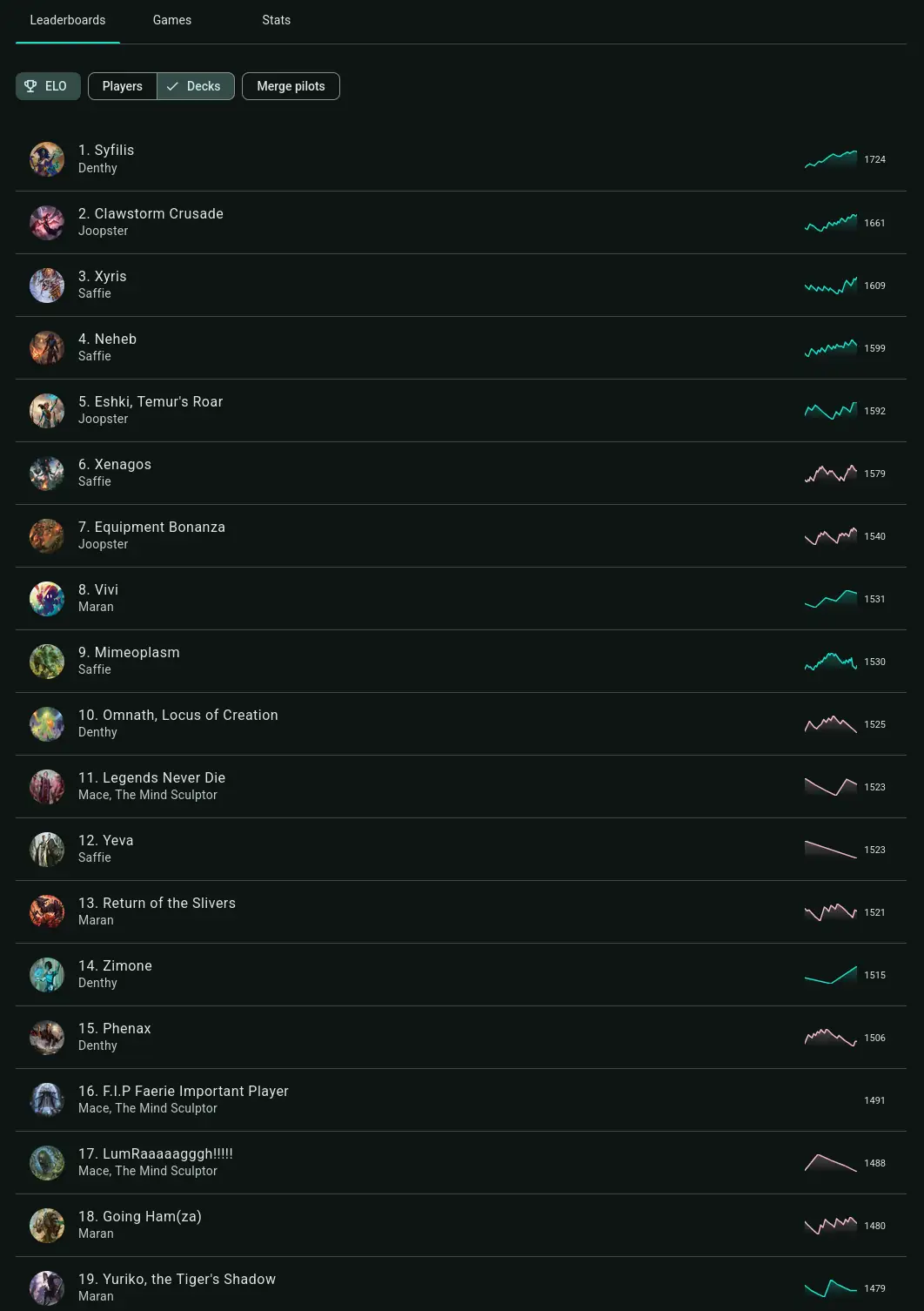
Every logged game updates player and deck win rates, ELO ratings and leaderboards, commander stats, and league standings. Fun and salt ratings too, if you add them.
What live tracking adds: turn times, damage and knockouts, and the full game dashboard come from tracking during the game. Switch any time; it is the same account and the same stats.
The pods that just play
Retire the games spreadsheet. Same habit, but the win rates, ELO and leaderboards compute themselves.
Keep phones out of the game entirely. One person logs the result when it is over.
Forgot to track last night? Back-log it with the real date and the stats land in the right place.
Logging past games FAQ
How do I log a Commander game I already played?
Do I need to use the life tracker during my games to get stats?
What stats do logged games count toward?
Do I need a playgroup to log a game?
Does everyone in the game need a Playgroup account?
Can I log games from any past date?
Is logging past games free?
Is this the same as Playgroup Live?
Your pod's stats start with one logged game
Free, and one account per table is enough. Prefer tracking live at the table? The MTG life counter does that too.
Log a past gamePrefer to track on your phone? Get the mobile app