
Invite members
Open your playgroup, choose Invite, and send the link you find there. Anyone who opens it and signs in is a member.
Send the link
Open your playgroup from Playgroups in the menu.
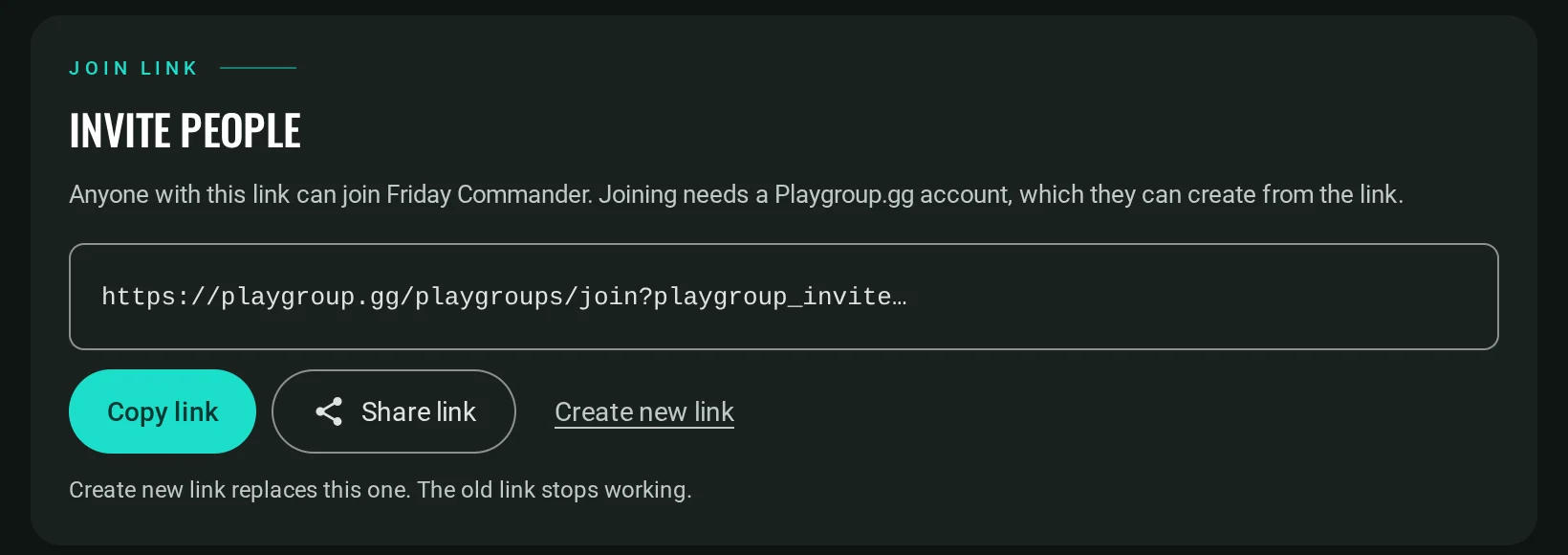
Choose Invite (on a phone, the button with a person and a plus).
-
Choose Copy link and send it. On a phone, Share link opens your phone's share menu.

What the other player does
They open the link. If they are not signed in, they are asked to log in or register first.
They are a member at once. Nobody has to approve them. A player without decks is asked to add one first (Import a deck).
Good to know
- There is one link for the whole playgroup. Every member can copy it, and it keeps working.
- Create new link, for admins, replaces it. The old link stops working.
- Someone who joins is an ordinary member. An admin can make them an admin on the Members page.
- A player who does not want an account can be added by name: Add a player, on the same page. Their games can become theirs later: Claim games you joined as a guest.
- The invite link of a game's lobby is another link. It lets someone take a seat, and does not make them a member.
Find this in
- A playgroup's members, Invite people
Something on this page is wrong? Tell us on Discord or contact us