
Playgroup Hybrid: paper and virtual cards in one Commander game
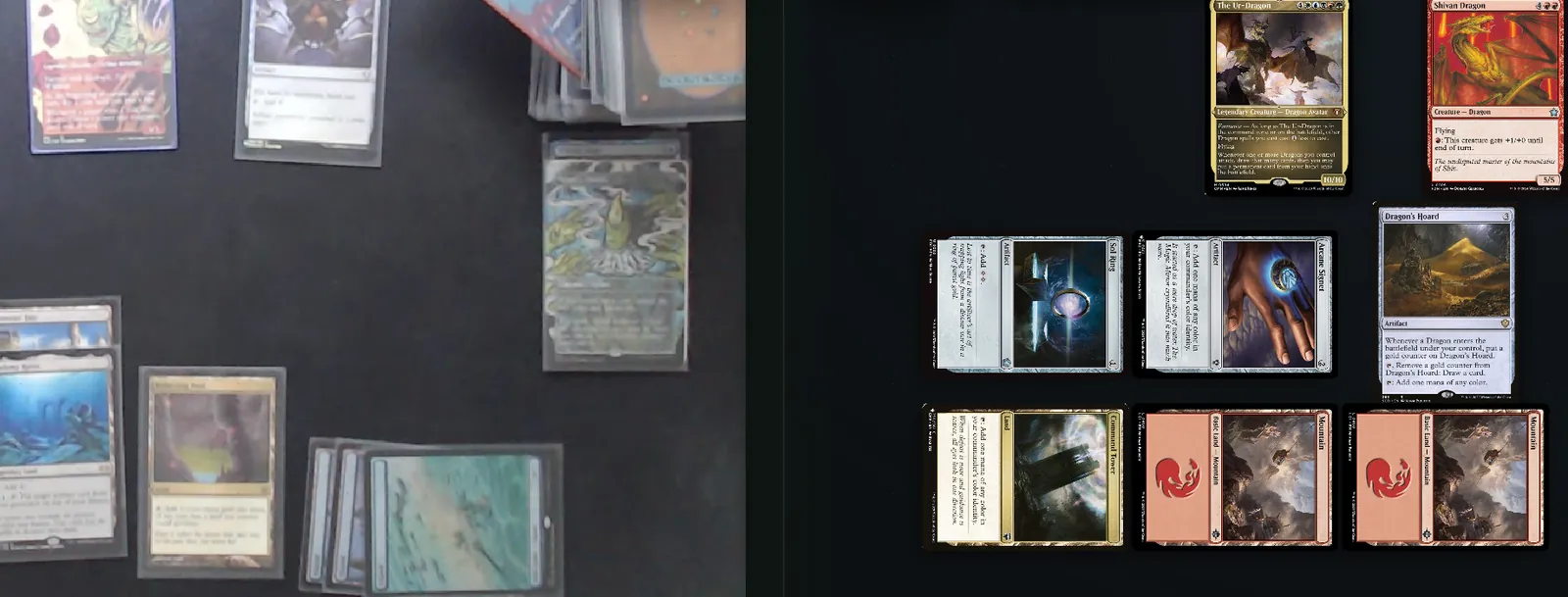
Playgroup Hybrid is how a Playgroup Live table mixes paper and virtual decks. Each player picks a paper deck on a webcam or virtual cards, and any number of seats can be on camera.
Three steps
How to start a Playgroup Hybrid game
-
1
The host allows paper decks Allow paper decks is on by default for a new game. The host can switch Paper decks allowed in the lobby.
-
2
Each player picks Press Play paper deck on your seat and pick your webcam, or play virtual cards. Choose your paper deck's list as your deck.
-
3
Play Paper seats shuffle and draw their own cards. The board still asks keep or mulligan.
Webcam setup
How do I set up a webcam for Magic?
All of this is in the camera setup behind Play paper deck on your seat.
-
Point it straight down Mount it above your mat so your cards fill the picture the table sees.
-
Use 720p or better The setup warns you below 720p, where card names may not read.
-
Rotate until it reads upright Rotate turns the picture a quarter turn for everyone at the table.
-
Pick your camera The browser asks for a camera only when you open the setup, and we remember your pick.
-
Light the mat evenly Glare on sleeves hides a card from the table and from card reading.
-
Change it mid-game The camera button on your name bar opens the same setup.
Paper and virtual
What does the table track for each seat?
Paper on camera
Virtual cards
Life, commander damage, counters
The same for every seat.
Cards in play
On camera. Recorded cards sit on a strip along its edge.
On the board.
Hand
A count anyone can adjust. Cards named into it are public.
Hidden. The others see the count.
Library
An estimate, ~N cards.
The exact count.
Graveyard and exile
The cards the table records there.
Every card that goes there.
Draws and mulligans
You shuffle and draw. The board still asks keep or mulligan.
The board shuffles and draws.
Result, ELO, deck record
Counted the same for every seat.
Reading cards
How do cards on a camera get named?
The board cannot move paper cards, so the table names them.
-
Click a card Anyone at the table clicks a card on a camera. We try that player's decklist first.
-
Or drag a box With a mouse, draw a box around one card to read it.
-
Scan the mat Reads every card on that mat, only when someone presses it.
-
Checked before it counts A read waits on the mat strip until someone checks, drops or swaps it.
-
Add a card Type in by name anything the camera cannot read.
In beta
What it does not do yet
- Your hand and library run on trust, like any paper game.
- Replays show only the cards the table recorded for a camera seat.
- Card Insights leaves camera seats out.
- Nothing from your camera is recorded, except a picture you choose to attach to feedback.
- Tell us how it went with the Feedback button on the board.
Questions about Playgroup Hybrid
Can everyone at the table play paper on camera?
Yes. Any number of seats can be on camera, a whole table included. Each player decides for their own seat, so a pod can be all paper, all virtual cards, or any mix of the two.
Do I need a special webcam to play paper Magic online?
No. Any webcam your browser can use works. Point it straight down at your mat so your cards fill the picture. The camera setup warns you below 720p, because card names may not read at lower resolutions.
How do the other players know which card I played?
They click it on your camera, and we read it against your decklist first. Scan the mat reads every card on your mat at once when someone presses it. Every read waits on the mat strip until someone at the table checks it, so nothing is recorded by guesswork.
Does a game with paper decks count toward my stats?
Yes. The result, ELO, your deck record and Playscore count the same for a seat on camera. Card Insights is the exception. It leaves camera seats out, because we only see the cards the table records.
Is my webcam video recorded?
No. The video goes live to the table through our own server and is not recorded. The only picture we ever receive is one you choose to attach to your feedback after a game.
Is Playgroup Hybrid free?
Yes. Playing on camera is free with a free Playgroup.gg account, like the rest of Playgroup Live, which runs in the browser for 2 to 6 players. It is in beta, so after a game at a camera table the board may ask how it went.
Start a table
Bring your pod, paper or not
Create a game with Allow paper decks on and send the link to your pod. The game counts toward everyone's stats, on camera or not.