
Building, Ready and Archived decks
A Building deck is one you are still working on and is left out of the tracker. A Ready deck is in the tracker and on Live. An archived deck leaves your deck lists and keeps its games and stats.
What each status does
Building
- Not in the tracker. You can pick it on Live once it has 100 cards.
- On My Decks it is marked Building.
- Only the copies you took into it count as being in the deck. The rest of its list is not taken from anywhere.
Ready
- In the tracker and on Live.
- If the deck is built in paper and counts in your collection, it holds its own cards.
Archived
- In no deck list, and not in the tracker or on Live. Its games and stats stay.
- The cards of a deck you keep together still count, and another deck can take them.
Where a deck starts
A deck you start in the deck editor begins as Building. A deck you import begins as Ready. If you have a binder or box, the deck editor then asks Do you own this deck in paper? Yes, count its cards leaves it Ready. No, I'm brewing it makes it Building.
Change the status
Open the deck and choose Cards. The status is beside the deck's name.
-
Choose the status to open its menu.
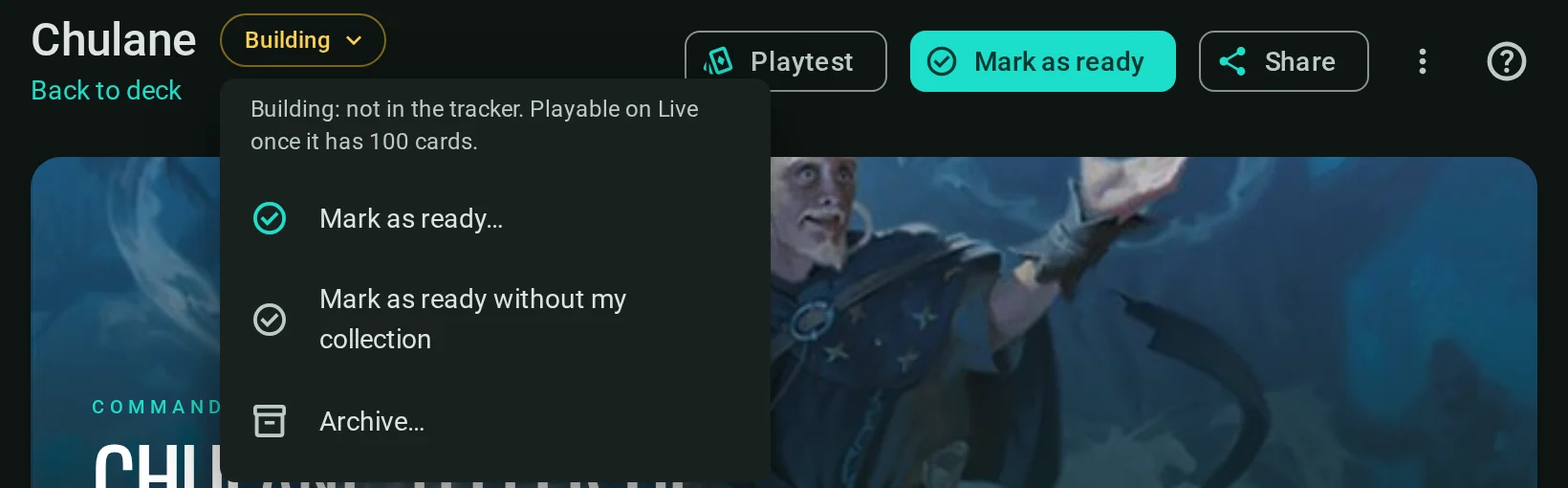
Choose what should happen to the deck.

What the menu holds depends on the deck:
- Mark as ready… goes through the cards with you and moves the copies you tick into the deck. See Build a deck from your own cards. If you have no binder or box, it is Mark as ready and the deck is Ready at once.
- Mark as ready without my collection makes the deck Ready and counts none of its cards.
- Count in my collection…, on a Ready deck, opens the same list of cards to pull. Stop counting in my collection stops counting its cards and changes nothing else.
- Nothing takes a Ready deck back to Building, except archiving it with its cards taken out.
- Archive… takes the deck out of your lists.
Archive a deck
Choose Archive… in the status menu. You can only bring a deck back if it has been in a game, so check that first. For such a deck, Archive is also in its ⋮ menu on My Decks.
-
If the deck's cards count in your collection, choose Archive and unsleeve or Archive, keep together. If they do not count, you only confirm.
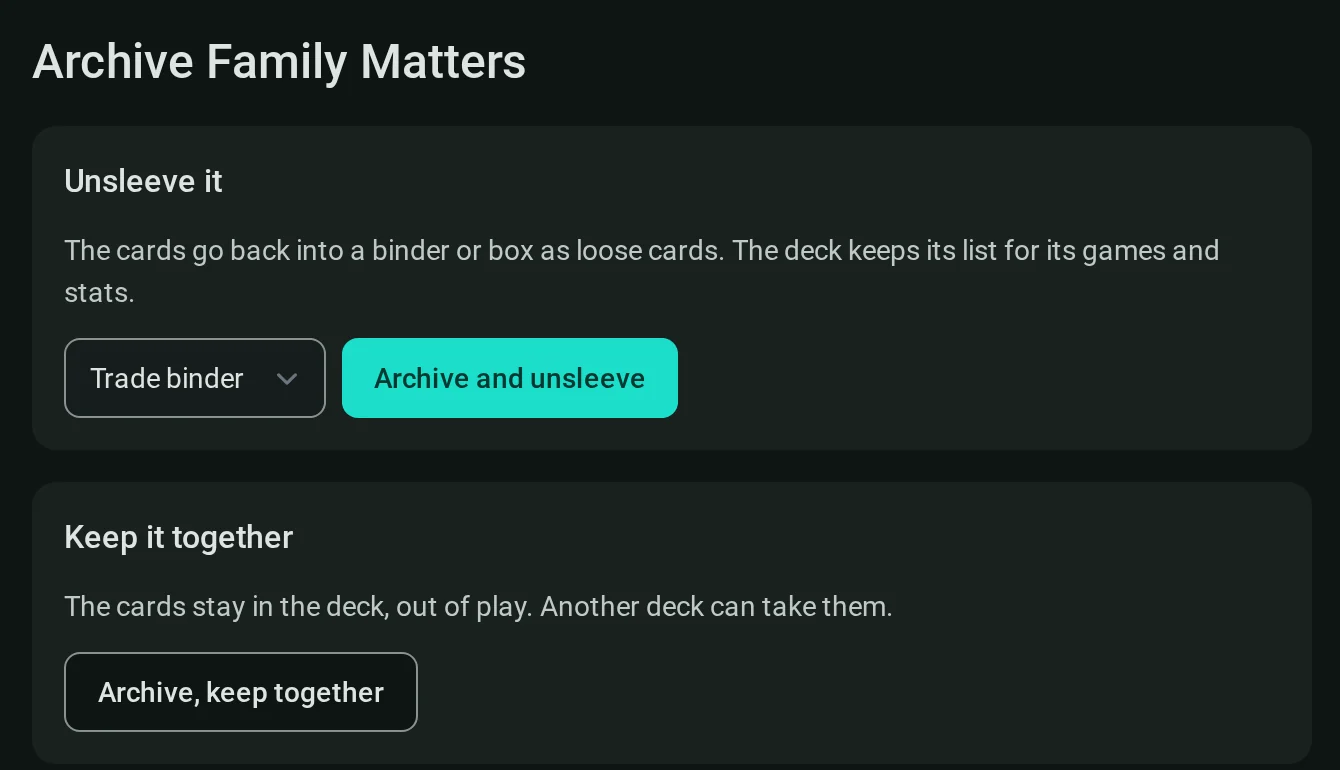

- Archive and unsleeve puts the cards into the binder or box you pick, as loose cards. The deck keeps its list, and it is Building when you unarchive it.
- Archive, keep together leaves the cards in the deck. Your other decks can take them.
To bring a deck back, turn on Show archived on My Decks, open the deck's ⋮ menu and choose Unarchive.
Good to know
- The tracker says how many of your decks are still building, above the decks you can pick.
- Cards of a deck you delete go back into one of your binders or boxes.
- Only you see and change the status of your deck.
- A cube deck has no status.
Find this in
- Deck editor, in the status menu
- Start a collection
Something on this page is wrong? Tell us on Discord or contact us