
Find cards your playgroup members have
Open your playgroup and choose Binders to search the binders and boxes the other members share. The deck editor also shows which of your missing cards a member has.
In your playgroup
Open the playgroup and choose Binders. On a phone, swipe the row of tabs to it.
-
Type a card in Search these binders for a card. Each card found says who has it, how many, and in which binder. Open all shows everything in one binder.
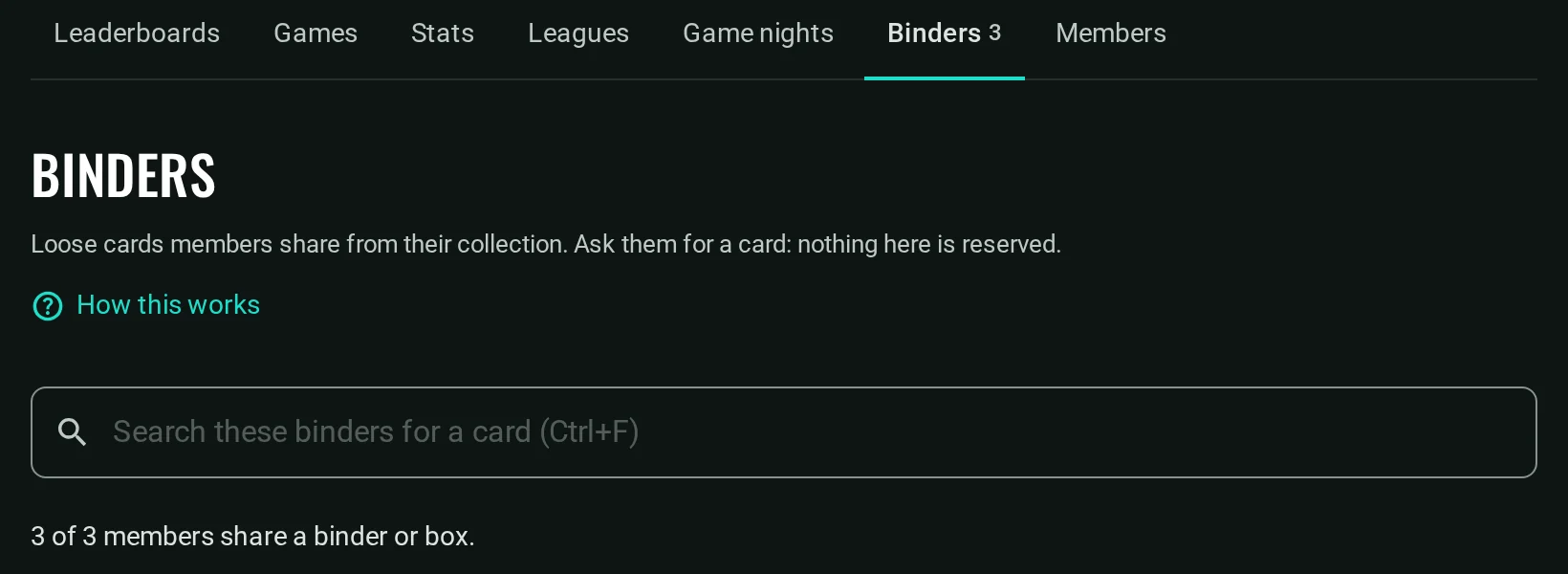
Ask the player. Nothing is reserved, and Playgroup does not move the card.

In all your playgroups
On My Collection, choose the tab Shared with you.
Type a card in Search everything shared with you, or look through the binders.
In the deck editor
Open one of your own decks and choose Cards. In the menu after Group (on a phone, the first menu above the cards), choose Collection.
-
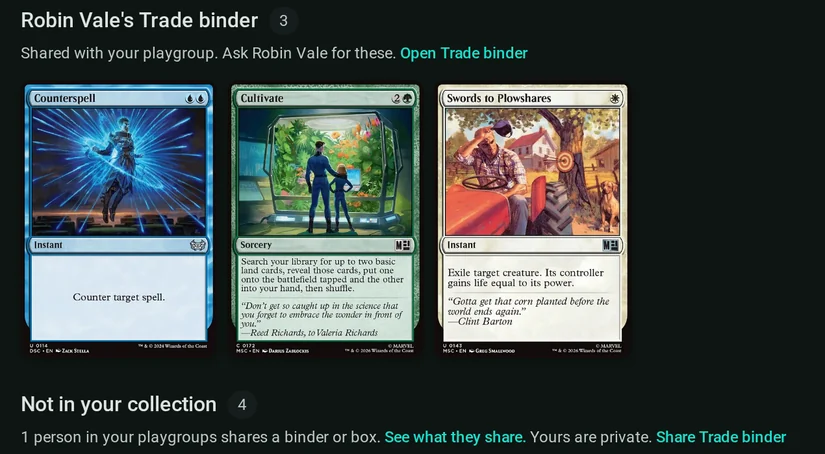
Look for a group named after a player and a binder, above Not in your collection. Those are cards you do not have, and that binder holds every copy you need. The line under it says whom to ask, and the link in it opens the binder.
-
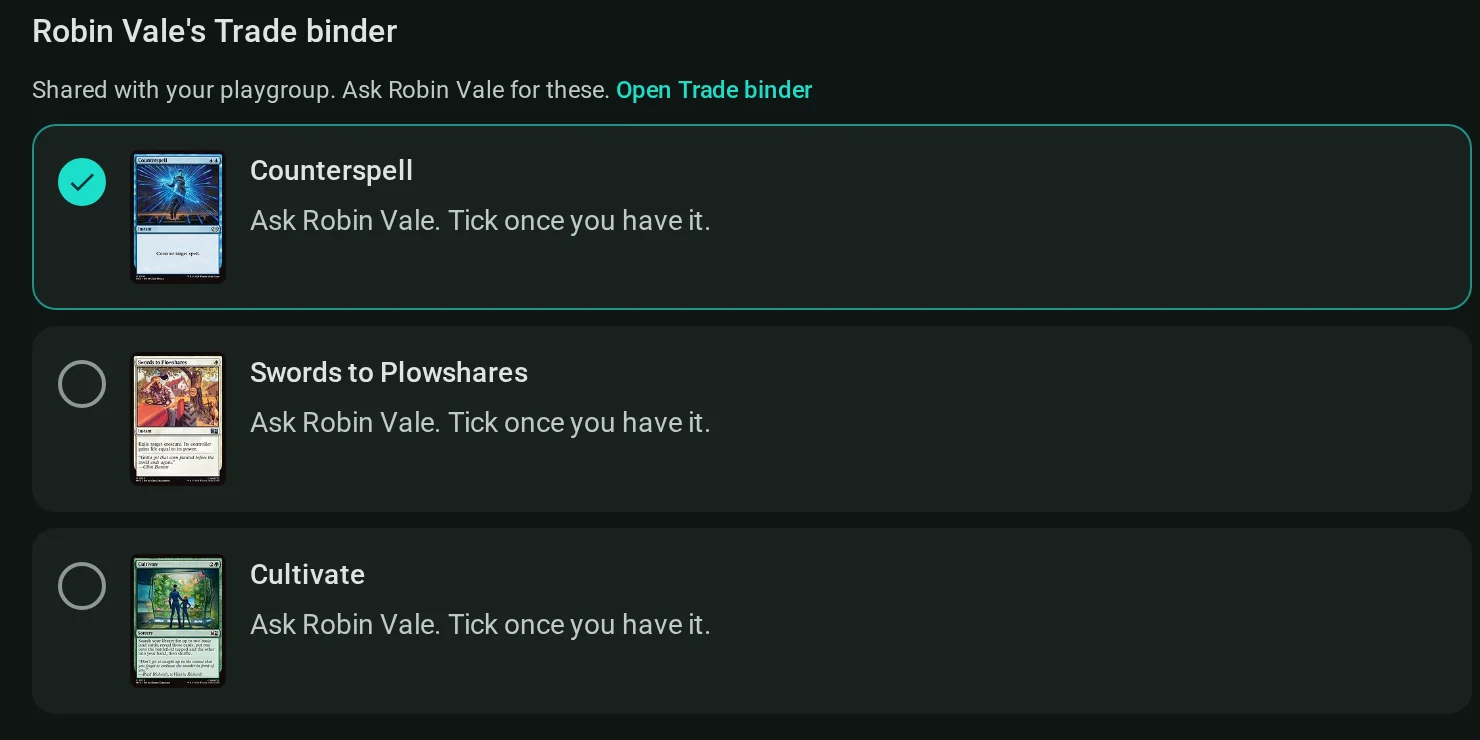
When you build the deck in paper, Mark as ready lists those cards under the same name. Tick a card once you have it. See Build a deck from your own cards.


You do not need a binder of your own to search or to use the Collection group. The Mark as ready list needs one.
Why you might see nothing
- Nobody in your playgroups shares a binder or box. Each player has to share their own: see Share a binder or box.
- The playgroup plays Online only, set under Where you play in its settings. Those playgroups have no Binders, because a card has to be handed over.
- You are the only one in the playgroup with an account. Players without an account have no binders.
- The card is in a deck or on order. Only loose cards that are there show up.
- In the deck editor, the card is in one of your own Ready decks, so it is under that deck's name.
- In the deck editor, no single binder holds every copy you need. If a deck needs 20 of a card, a binder with one does not show.
- You are not in a playgroup with the owner. Having the link opens their binder, but does not list it here.
Find this in
- Deck editor, once you group by Collection
- Binders in a playgroup
- Build a deck from your own cards
- Share a binder or box
Something on this page is wrong? Tell us on Discord or contact us