
Put counters on cards
Right-click one of your cards on the battlefield (on a phone or tablet, hold it) and choose Add Counter or Add +1/+1. To take one off, choose Remove Counter in the same menu, or Remove +1/+1 under Counters & Labels....
Put counters on a card
Start a table, or choose Playtest on one of your decks.
Right-click a card you control on the battlefield. On a phone or tablet, hold it.
-
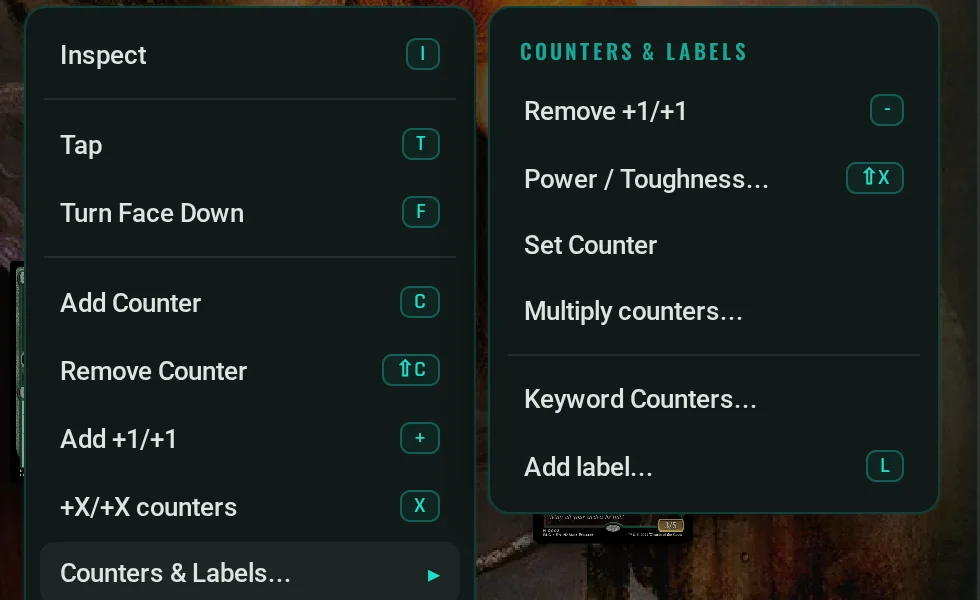
Choose what to add:
Add Counter adds one to a number on the card. Use it for loyalty, charge, lore and the like. A planeswalker already has its loyalty when it comes in.
Add +1/+1 adds one +1/+1 counter. The card shows its new power and toughness.
+X/+X counters sets any number of +1/+1 counters at once.
Counters & Labels..., then Keyword Counters... adds flying, trample and other keywords.
-
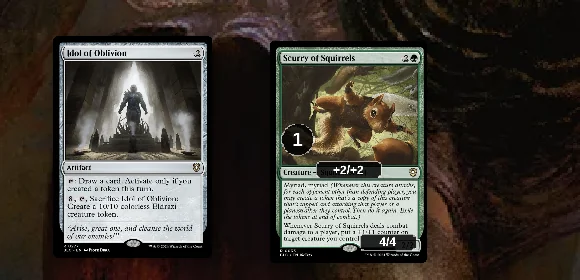
The counters show on the card, for every player.

Change or remove them
Right-click the card again (hold it on a phone or tablet).
To take one off, choose Remove Counter, or Counters & Labels... and then Remove +1/+1.
To take off all +1/+1 counters, choose +X/+X counters, enter 0 and choose OK.
To take off a keyword counter, choose the same keyword again.
Faster
- With a mouse, point at the card and press a key: C adds a counter, Shift C removes one, + adds a +1/+1 counter and - removes one.
- Click the round number on the card for one more, right-click it for one less. Clicking the power or toughness changes only that number and puts no counter on the card. The setting Click P/T and counters to change them turns this off.
-
On a phone or tablet, tap the card and use the + and - at the word counter. The ones at power and toughness change only that number.

Counters on a player
-
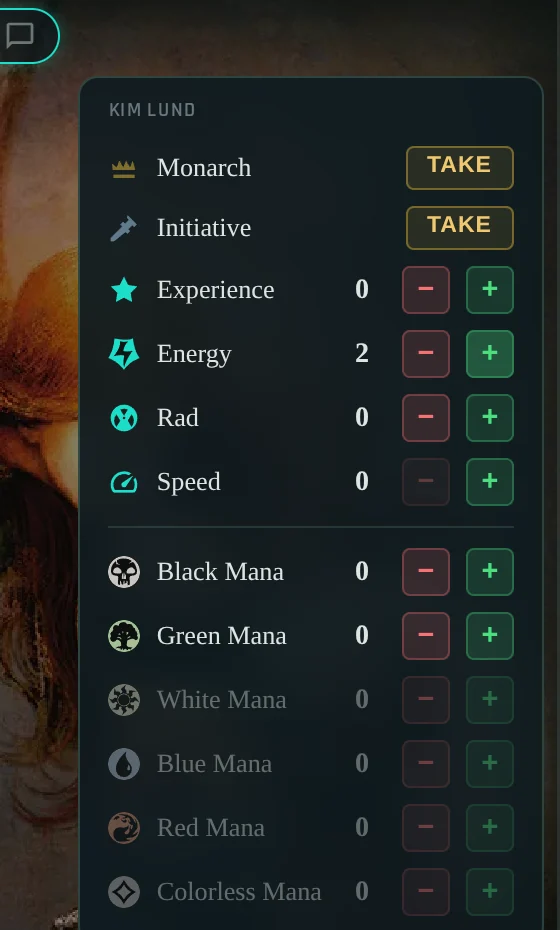
For energy, experience, rad, speed or mana, choose the star button on your name bar and use - and +. Take makes you the monarch or gives you the initiative.
-
For poison on a computer, point at the player's life total, choose Damage, then Poison, set the number and choose Apply. The green number beside the life total is their poison.
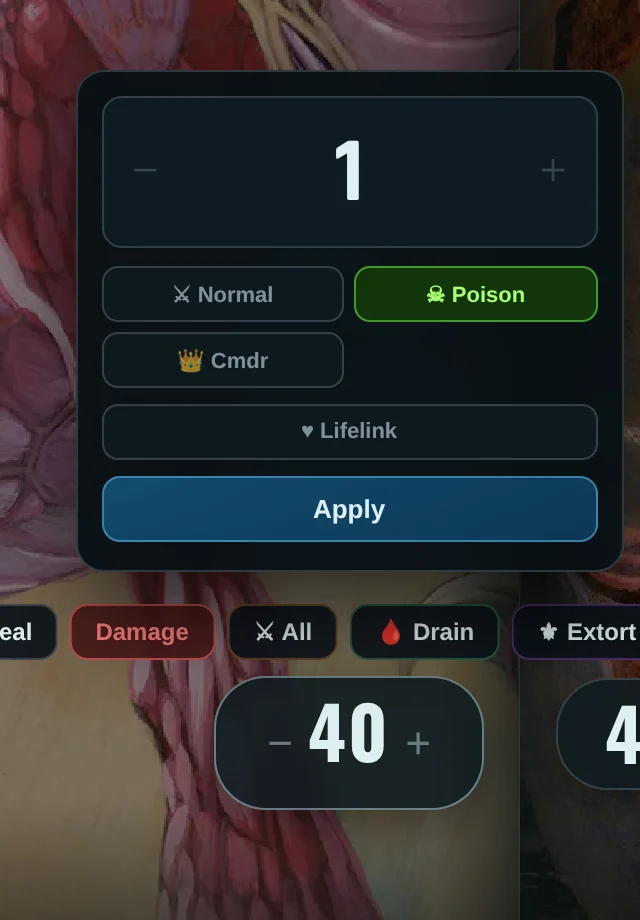
For poison on a phone, tap the crossed swords (in a playtest, the life totals), tap Poison, then + ☠ Poison under the player.
To take poison off, undo it: choose Undo at the top right after (on a phone, in the menu), or open the Event Log (on a phone, the menu and then Log) and choose Undo beside that line.

Good to know
- You can only change counters on cards you control. Another player's card has no counters in its menu.
- Monarch and initiative are not handed back: another player takes them.
- Cards on a webcam have counters of their own: Put counters on cards on webcam.
Find this in
Something on this page is wrong? Tell us on Discord or contact us