
Play with paper cards on webcam
In the lobby of a game, choose Play paper deck on your seat and point a camera straight down at your cards. Everyone then sees your playmat where your cards would be, and the other players can use paper or virtual cards.
Set up your camera
Start a table with Allow paper decks on, or join one that has it on. The lobby says Paper decks allowed.
On your seat, choose Play paper deck and let your browser use the camera.
-
For a webcam, stay on This computer and pick it under Camera. Point it straight down, so your play area fills the picture. Rotate turns the picture a quarter turn.
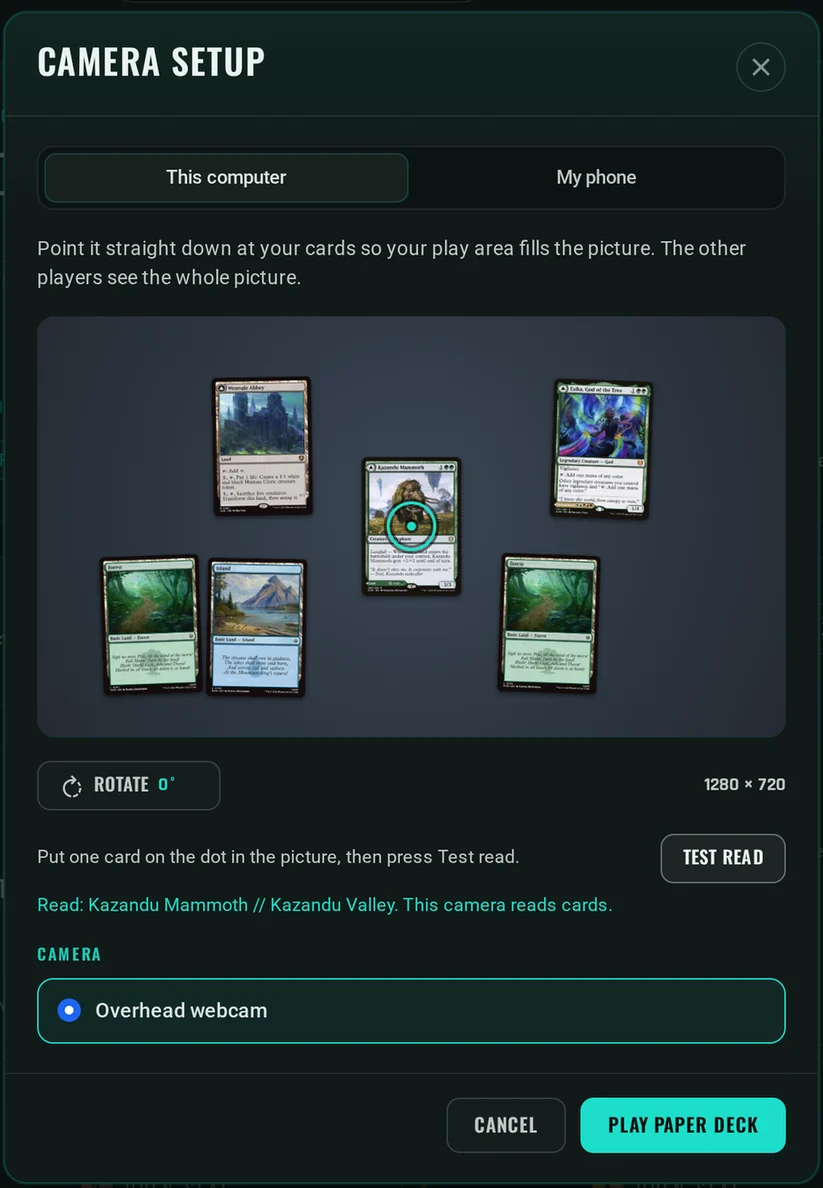
Put one card on the dot in the picture and choose Test read. The line below it names the card, or says what went wrong.
Choose Play paper deck. Your seat now says On camera.
Pick the deck you play under Your deck, as you would with virtual cards.

Use your phone as the camera
In Camera setup, choose My phone.
Scan the code with your phone, or choose Copy link instead and open the link on it. The code works once, for 10 minutes. The phone does not need to be signed in.
-
Prop the phone above your mat with the camera facing down, and choose Start camera. Let the browser use it.
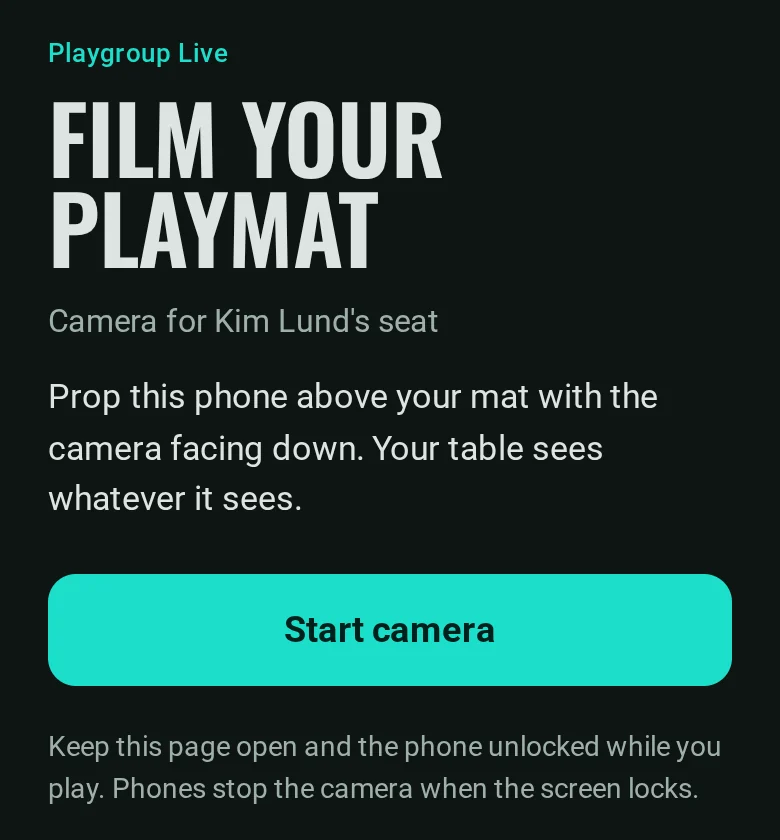
On your computer, choose Play paper deck (or Save, if your camera was already on). Keep the page on the phone open and the phone unlocked: a phone stops its camera when the screen locks.
Play
Draw and shuffle your own cards. Keep hand and Mulligan only record what you did.
Set your hand size with - and + beside the cards on your name bar. Life, turns and commander damage work as they do for everyone.
-
Click a card on a camera to read it, or drag a box around it (on a phone or tablet, tap it). The card appears at the left of that camera. Choose the check mark to put it on the list of cards on that mat, the cross to drop it, or the arrows to pick the right card.
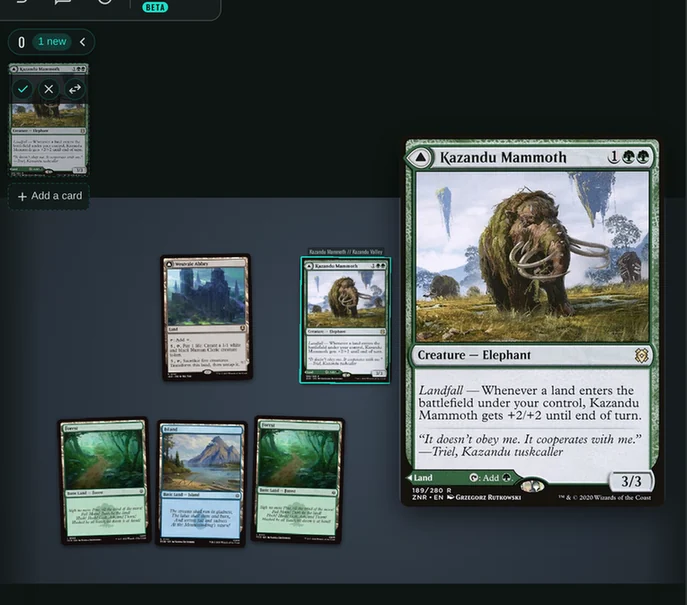
To read every card at once, read one card first, then choose Scan the mat on your name bar. The double check mark accepts them all.
When a card leaves play, choose it in that list and choose Graveyard, Exile, Hand or Library.
Cast your commander from your zones: choose the arrow at the bottom of your picture, right-click the commander and choose Cast to Battlefield.
Good to know
- You do not have to read your cards. The game works without a list of them. The list is what other players can look at, and what the log shows.
- Anyone at the game can read a card on your camera and accept it.
- Add a card below the list adds one by name, and tokens too.
- To count on a card, use a counter on the picture: Put counters on cards on webcam.
- Change the camera with the camera button on your name bar. In the lobby, choose the camera's name on your seat; Play virtual cards is there too.
- The host turns paper decks on or off in the lobby, with Paper decks allowed. Playgroup Experiments and paper decks do not go together.
See also Playgroup Hybrid
Find this in
- Play online, Create a game, Allow paper decks
- Put counters on cards on webcam
- Use Playgroup with SpellTable
- Start a table
Something on this page is wrong? Tell us on Discord or contact us