
Put counters on cards on webcam
Right-click the card on your own camera picture (on a phone or tablet, hold it), choose Add manual counter and pick a counter. It lies on the picture for every player, and you drag it to where you want it.
Add a counter
Start a table and play your paper deck on camera: Play with paper cards on webcam.
Right-click your own camera picture, at the card. On a phone or tablet, hold the spot.
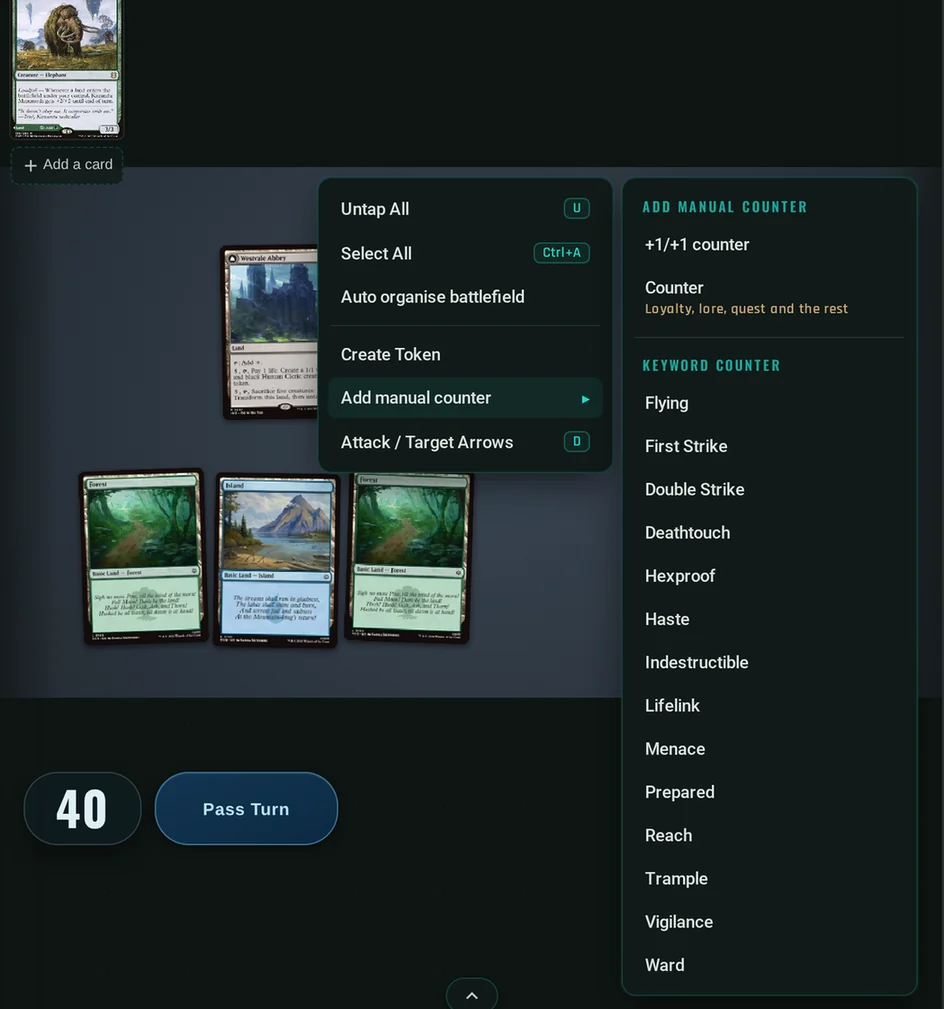
Choose Add manual counter.
-
Choose +1/+1 counter, Counter (for loyalty, lore, quest and the rest), or a keyword such as Flying.
-
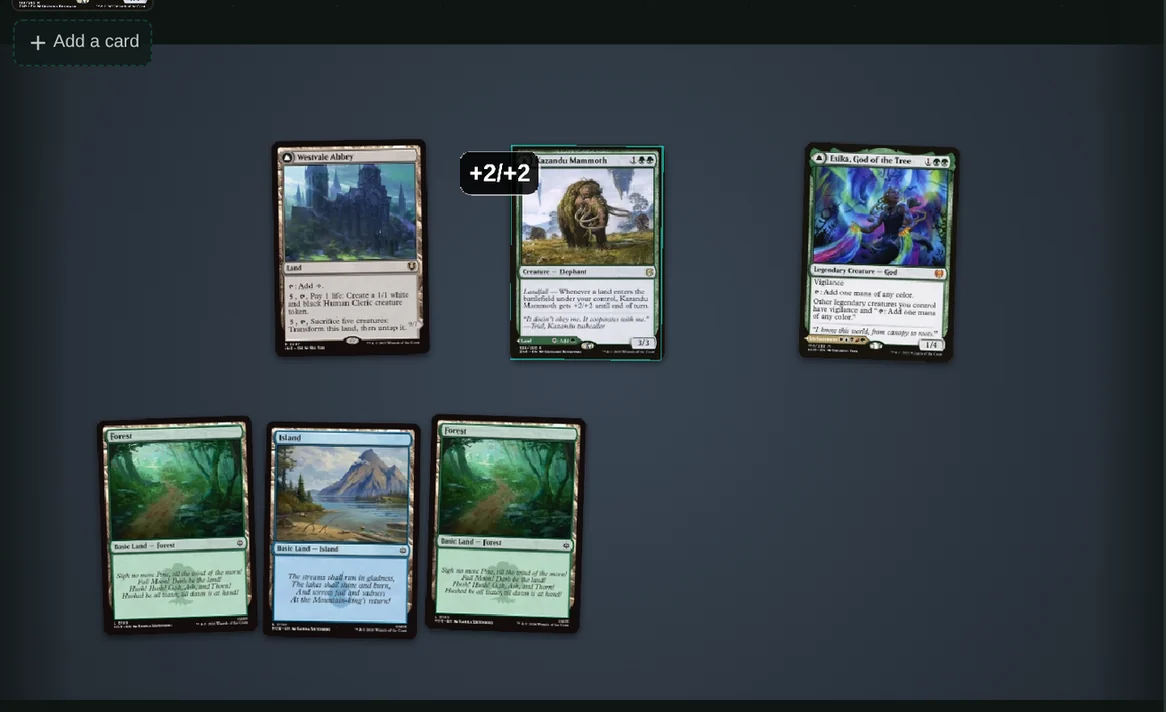
Drag the counter to the place on the card where you want it.


Change it
Right-click the counter, or hold it.
Choose Add Counter, Remove Counter or Add +1/+1. +X/+X counters sets a number, and Counters & Labels... has Remove +1/+1, Set Counter, Keyword Counters... and a label of your own.
One counter can hold everything for a card, such as three +1/+1 counters and flying.
Remove it
Right-click the counter, or hold it.
Choose Remove manual counter.
Good to know
- With a mouse, point at the counter and press C for one more, Shift C for one less, or + and - for +1/+1 counters.
- Only you can add, change, move or remove counters on your picture.
- A counter does not follow the card. When you move the card, drag the counter along. When the card leaves play, remove it.
- A +1/+1 counter shows what it adds, such as +2/+2, not the card's new power and toughness.
- A removed counter does not come back with Undo. Add a new one.
- Poison, energy and other counters on a player work as they do for everyone: Put counters on cards.
Find this in
Something on this page is wrong? Tell us on Discord or contact us