
Flip a card or move your commander
Right-click a double-faced card on the battlefield (on a phone or tablet, hold it) and choose Transform to show its other side. To put your commander back, drag it to the command zone, or choose Move... and then Command Zone.
Turn a double-faced card
Start a table, or choose Playtest on one of your decks.
Play the card. It comes in with its front side up.
-
Right-click it, or hold it on a phone or tablet, and choose Transform. With a mouse you can also point at it and press R.
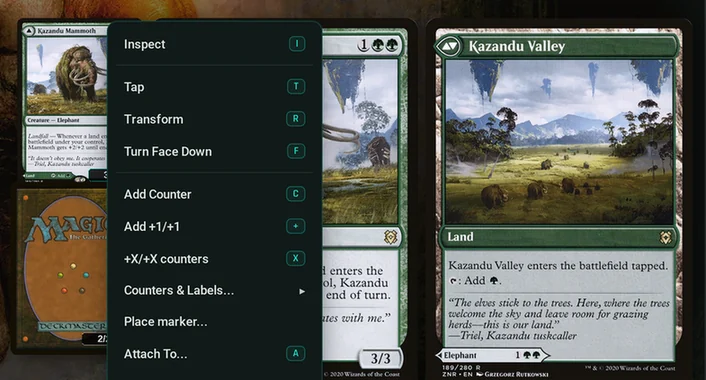
Choose Transform again to turn it back. To play a land that is the back of a card, play the card and transform it.

Turn a card face down
On the battlefield, right-click the card (or hold it) and choose Turn Face Down. Flip Face Up in the same menu turns it back. With a mouse, F does both.
From your hand, right-click the card (or hold it) and choose Face down..., then Play Face Down. Exile Face Down is there too.
Other players see a card back. With a mouse, you can still look at the card by pointing at it.
Put your commander back
-
On the battlefield, drag it onto the command zone at the bottom right of your cards. Or right-click it (hold it on a phone or tablet) and choose Move..., then Command Zone. With a mouse, point at it and press K.
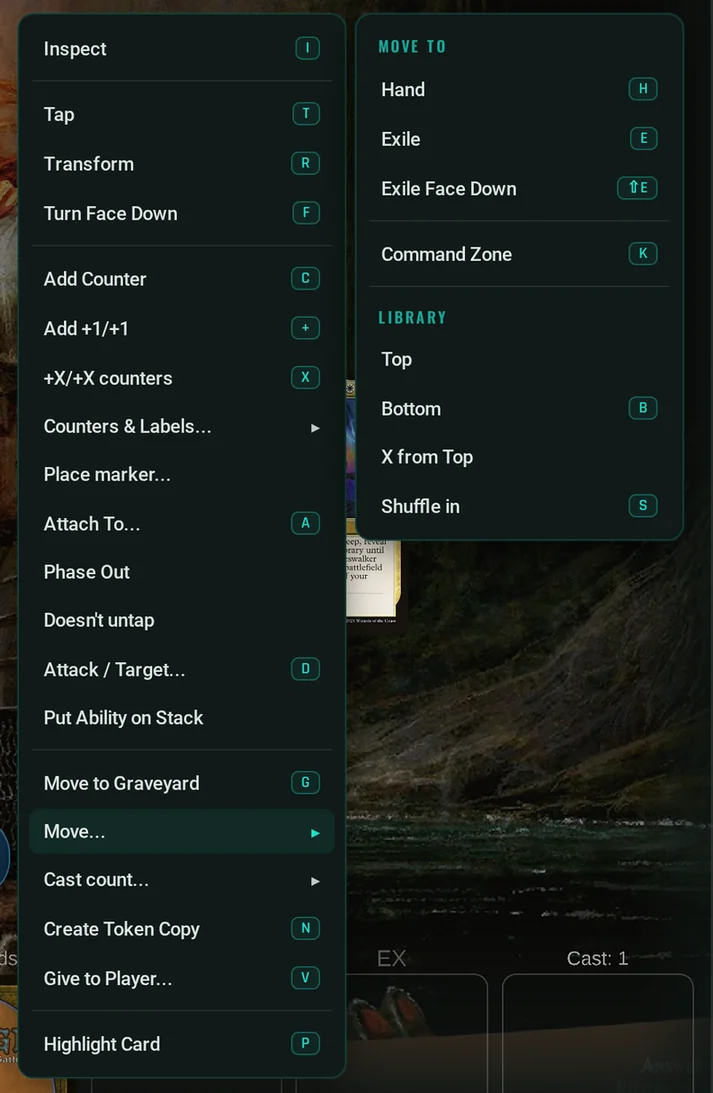
If it is in your graveyard or exile, open that pile, right-click the commander (on a phone, tap it) and choose Move to Battlefield. Then move it to the command zone as in step 1. Undo works too, if that move was the last one.
To cast it again, drag it from the command zone to the battlefield, or right-click it and choose Cast to Battlefield.

Good to know
- The number above your command zone is how often you cast your commander. Cast count... in its menu changes it.
- Nothing asks you when your commander dies: move it yourself.
- You can only turn and move cards you control.
Find this in
Something on this page is wrong? Tell us on Discord or contact us