
Start a table
Choose Play online, then Create a game, set the table up and choose the button at the bottom. Send the invite link to your friends, pick a deck each, and start when every seat has one.
Create the game
Open Play online and choose Create a game. The button above opens the same page. When no table is open, it is further down the page. On a phone you can also choose the + at the top and then Start a Live session.
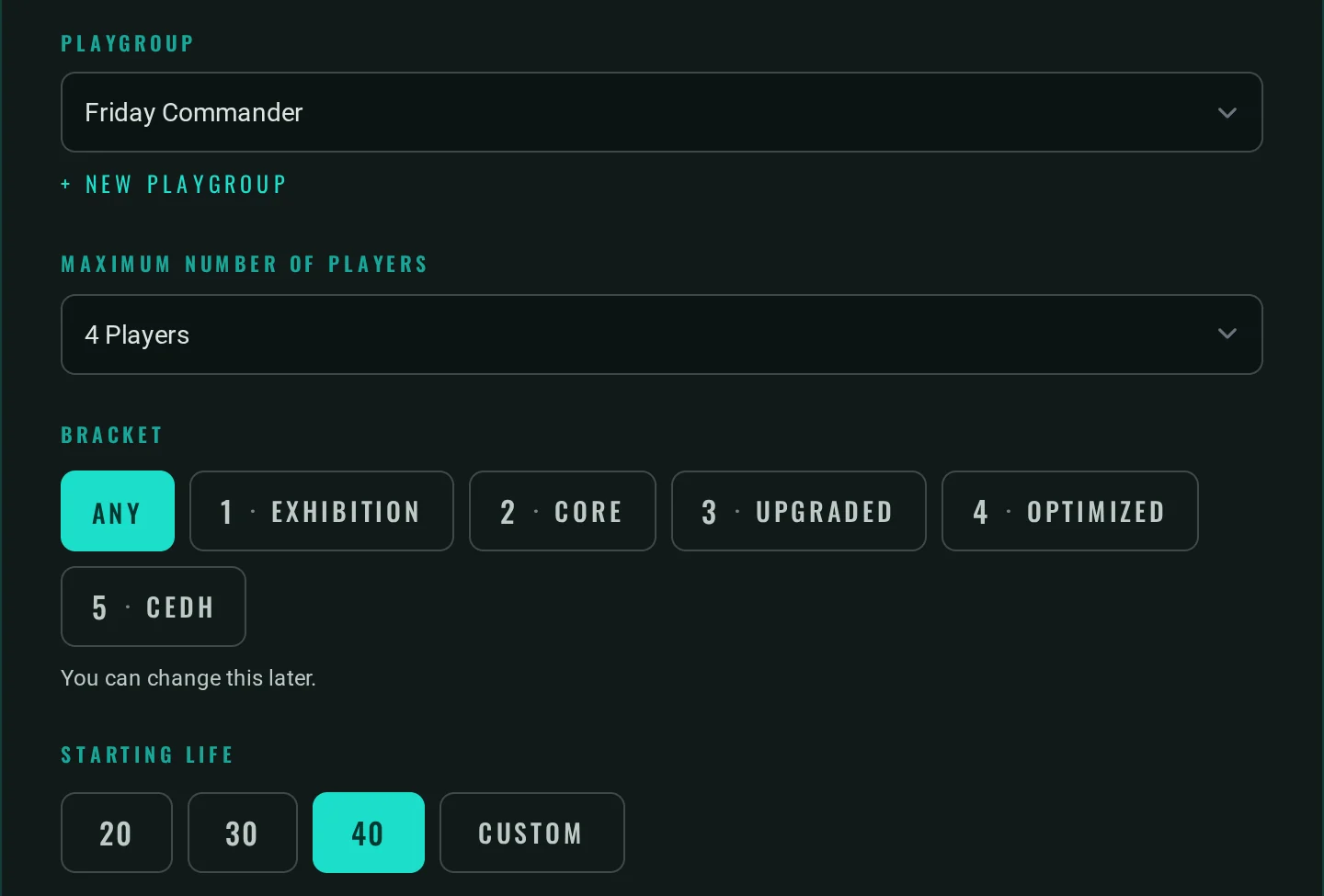
Under Playgroup, pick your playgroup, or leave Pickup game (no playgroup). A playgroup's table is for its members. A pickup game is for anyone who has the link.
-
Choose Maximum number of players (2 to 6), a Bracket and Starting life. With a playgroup you can also pick one of its leagues.
-
Set the switches you want:
Schedule for later asks for a date and time, so players can sign up before you open the lobby. The button at the bottom then says Schedule game.
Make discoverable lists a pickup game for everyone on the games page. With it off, only people with the link find it. It starts on, and is off for a playgroup's table.
Mic required means everyone has to be on voice before the game can start.
Allow paper decks lets players bring real cards on a webcam: Play with paper cards on webcam.
Friendly mulligans makes every mulligan free.
Choose the button at the bottom. It says Create Lobby or Create Public Lobby.

Fill the table and start
-
In the lobby, choose Copy invite link and send it. Whoever opens it signs in and chooses Join Session. Members of your playgroup also see the table on the games page, under Your playgroups.
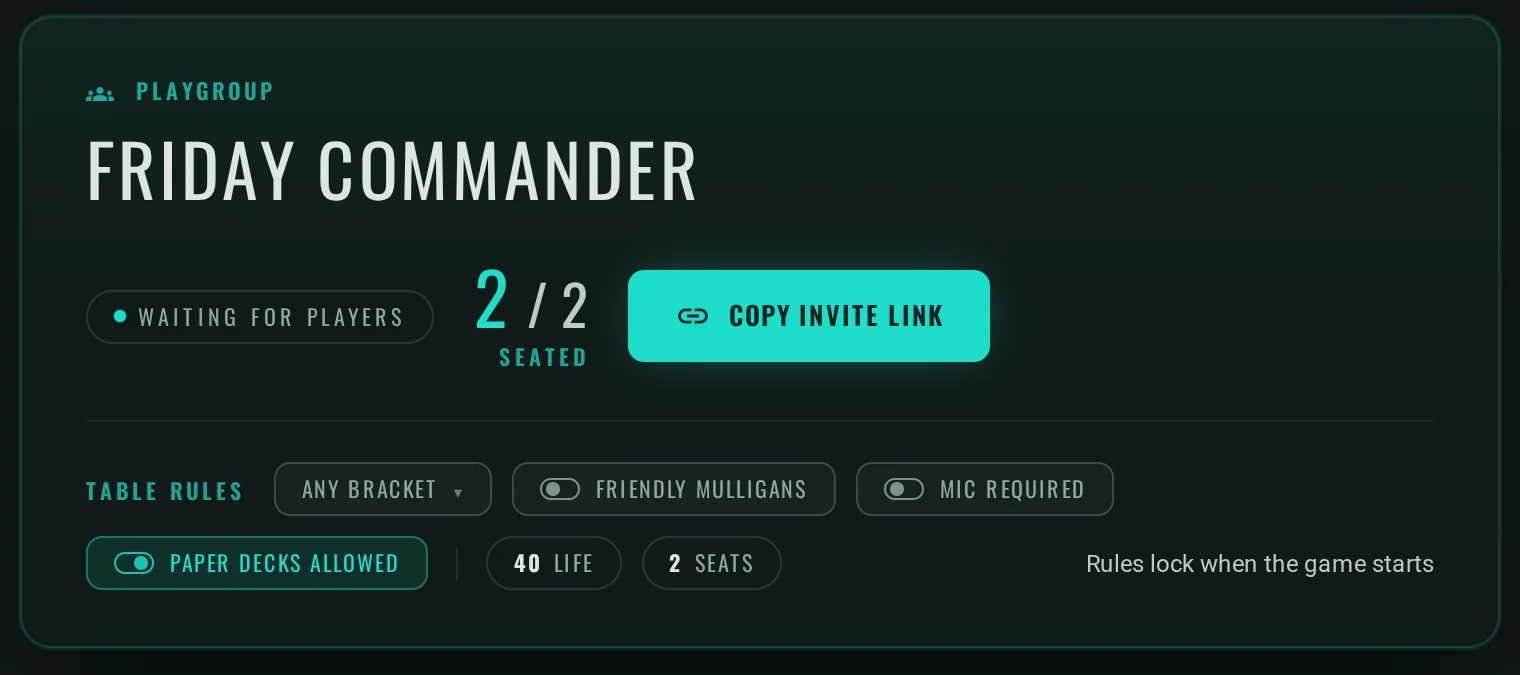
Under Your deck, choose the deck you play. Import deck adds a new one (Import a deck), Random picks one for you, and a player in a playgroup can borrow a member's deck.
Choose Talk, Listen or Off at the top for voice chat. The gear beside it sets your microphone.
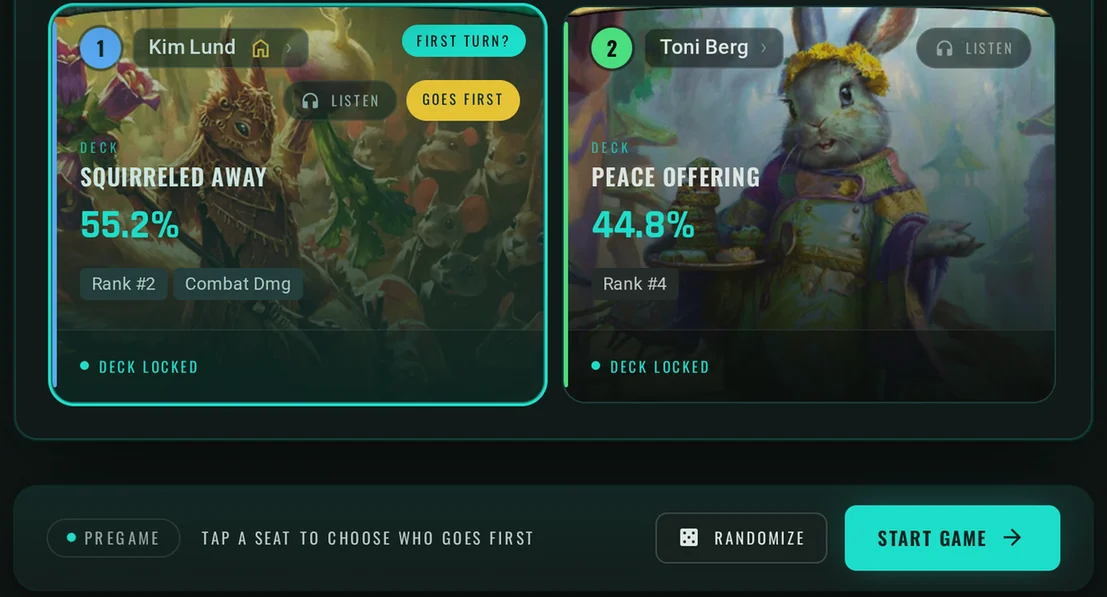
When every seated player has a deck, the host chooses Pick starting player.
-
Choose a seat to go first, or Randomize. Then choose Start game.
The board opens for everyone. Choose Keep hand or Mulligan.

Good to know
- Two players are enough. Once the host chooses Pick starting player, nobody else can join.
- The host can change the rules until they choose Pick starting player, and remove a player with the red X on their seat.
- Keep the lobby open while you wait. If you are gone for some minutes, the lobby closes, or another player in it becomes the host.
- Left the lobby or the game? Back to your game at the top of Play online takes you back to your seat.
- To try a deck alone, choose Playtest on the deck. It opens the same board.
- On a phone you play with the phone held sideways. More on that: Devices you can play on.
- Once you play: Put counters on cards, Flip a card or move your commander and End a game.
See also Playgroup Live
Find this in
- Play online, Create a game
- Put counters on cards
- Put counters on cards on webcam
- Devices you can play on
- End a game
- Flip a card or move your commander
- Play with paper cards on webcam
Something on this page is wrong? Tell us on Discord or contact us